What is "Employment Allowance" and how much can it save my business?
If you’re an employer running a growing business, there’s a possibility that you’re paying more tax than you need to.
That’s because some business owners are so busy running their business that they don’t realise the Annual Employment Allowance is not being claimed.
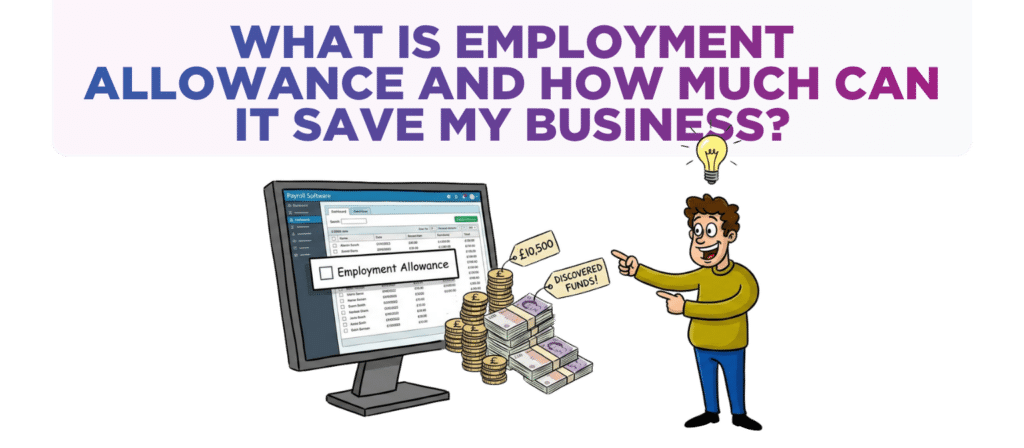
Eligible employers can reduce their annual National Insurance bill by up to £10,500. That’s real money which could be invested in the business via more marketing, new hires, better systems, or simply improving cash flow.
When is Employer National Insurance (NIC) paid?
Currently, Employer National Insurance Contributions (NIC) are paid for every employee who is:
- Aged 21 or more who earn more than £416.67 per month (Secondary Threshold).
- Aged 20 or less who earn more than £4,189 per month (Upper Secondary Threshold).
- The amount paid is 15% on any earnings above the Secondary Threshold.
Each month the Employer NIC is:
- Reported to HMRC via an RTI submission
- Paid to HMRC (along with income tax and employee NIC) by the 22nd of the following month
Key questions about claiming the Annual Employment Allowance
What is the Annual Employment Allowance?
The Annual Employment Allowance allows eligible employers to reduce the amount of Employer’s National Insurance Contributions (NICs) they pay each year.
For many businesses, it means paying up to £10,500 less in Employer NICs every year.
Who can claim Annual Employment Allowance?
Most small and medium-sized business employers can claim.
An employer should be eligible if the following criteria are met:
- The business (or charity) has been registered as an employer with HMRC.
- There are two or more employees over the age of 21 on the payroll at any point in the year.
- There are at least two employees over the age of 21 who earn above the secondary threshold (currently £416.67 a month) for at least one pay period in the year.
- You don’t own another business which is already claiming the Annual Employment Allowance.
The most common reasons I see owner-managed businesses being unable to claim Employment Allowance are (1) only one director on payroll and (2) the second employee is aged 21 or less. In both cases, the business won’t qualify.
That’s why checking eligibility before making assumptions is essential.
How can a business claim the Annual Employment Allowance?
The Annual Employment Allowance is claimed through the payroll.
In most payroll software there is a ‘Yes’ checkbox for Annual Employment Allowance that must be ticked.
Doing this:
- Notifies HMRC that the Annual Employment Allowance is being claimed.
- No Employer NIC is payable on the first £10,500 employer NIC liability for the year.
The Employment Allowance claim will be shown as a deduction on the P32 payroll report.
Until the whole of the £10,500 has been claimed, the effect of claiming the Annual Employment Allowance is to reduce the amount of Employer NIC down to £nil.
All Annual Employment Allowance claims start from 6th April each year – the start of the tax year. The first claim will therefore be for the April payroll.
For most employers the Annual Employment Allowance claims means payroll costs are lower and cashflow is better in April and, possibly the following months.
How can a business backdate an Annual Employment Allowance claim?
An employer can backdate claims for up to four previous tax years.
To do so, a revised Employer Payment Summary which claims the Annual Employment Allowance must be prepared and submitted to HMRC.
Once processed and accepted HMRC will credit the employer’s PAYE and NIC account with the Annual Employment Allowance that was not previously claimed.
This credit can then be offset against future PAYE and NIC liabilities, improving cash flow.
Want help claiming the Annual Employment Allowance?
If you’re unsure whether your business has claimed the right amount of Annual Employment Allowance then now is the time to double check.
With Annual Employment Allowance now worth up to £10,500, there is meaningful amount of cash at stake.
If you’d like a chat to see how we can help drop us an email to [email protected] or call one of the team on 0161 410 0020.
Disclaimer
You must take professional advice before making any decisions based on the information that you have learnt here. While every effort has been made, to make sure it is accurate it cannot be precisely tailored to your personal circumstances. This article is for general information only and no action should be taken, or refrained from, as a result of this information. Professional advice should be taken based on specific circumstances in each individual case. Whilst we endeavor to ensure that the information contained in the article is correct, no liability will be accepted by Krystal Clear Accounting which is a trading name of Kim Marlor Associates Ltd or damages of any kind arising from the contents of this communication, or for any action, inaction or decision taken as a result of using any such information.