
What are the rules for paying tax on Benefits in Kind?
When a business provides Benefits in Kind (BIK) to its’ employees those benefits are taxable. The most common types of benefit in kind are company cars and private health insurance.
The value of the benefit is added to the employee’s income and taxed accordingly. How much tax is due depends on the type of benefit and its value.
It is every employer’s responsibility to report any BIKs to HMRC each year. Failure to do so by the filing deadline will result in the business incurring penalties.
What were the options for reporting Benefits in Kind to HMRC?

P11D
Submit a P11D form for each employee receiving BIKs, outlining the BIK provided to each employee during the tax year.
Once the P11D form has been processed HMRC will calculate the amount of tax owed on the BIK.
HMRC will then either:
- send the employee a tax bill for the tax owed, or
- collect the tax owed by changing their tax code

Payrolling Benefits in Kind
Most taxable benefits provided to employees are treated as additional salary. Employers deduct tax on these benefits through the payroll, thus reducing the employee’s net monthly pay.
This option eliminates the need for an employer to submit P11Ds to HMRC. That said, an employer would still have to calculate and report the employer’s Class 1A National Insurance contributions (NIC) on the P11D(b) form.
What are the new rules?
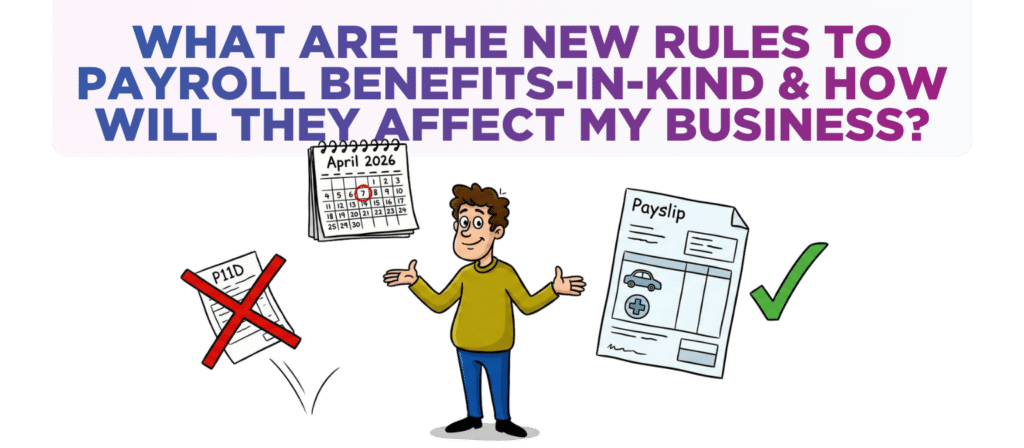
From 6 April 2026, Payrolling Benefits-in-Kind (option 2) became mandatory for almost all taxable BIKs.
The ONLY two BIKs where employers will continue to have the option to report them on a P11D are:
- Employment-Related Loans
- Employer-Provided Living Accommodation
It is expected that these two excluded BIK will also come under mandatory PBIK at some point although HMRC has not yet announced the timeline for this.
How does Payrolling Benefits in Kind work?
Taxable Amount Calculation
At the start of the tax year an employer will have to calculate the value (or cash equivalent) of each BIK provided to every employee.
The total value for all an employee’s BIK is then divided by the number of pay periods left in the tax year. For instance, divide by 12 for monthly payroll or 52 for weekly payroll.
This gives the taxable amount which has to be included on the employee’s payslip for each pay period.
Taxable Amount Calculation for Mid-Year Changes
This exact same approach must be taken if an employee starts to receive a BIK during tax year.
Also, if the value of a BIK changes during the year (e.g. if an employee changes their company car or if the cost of the private medical insurance changes), then the employer must recalculate and adjust the taxable amount for all future pay periods.

End-of-Year Adjustments
An employer is expected to take reasonable steps to ensure the Taxable Amount calculations are accurate.
HMRC acknowledges that it might not be possible for some BIK values to be finalised before the end of the tax year.
HMRC has indicated that it will be introducing an end-of-year process to handle those BIK whose taxable values can’t be finalised during the tax year. We await those details.

Class 1A NIC to Be Collected Through Payroll
From April 2026, employers have had to pay Class 1A National Insurance on benefits in kind via payroll instead of after the end of the tax year.
To allow this to happen, the payroll reporting requirements will be changing to include detailed information about each payrolled benefit in kind.
What should you do?
This change already came into effect 2 months ago, so your accountant should have made you well aware. If they haven’t here is what you need to look into:
- Create and start using systems & processes which will record and update BIK values for every employee in real-time.
- Check your payroll software has the functionality to process and report payroll taxable BIK.
- Tell your employees about how payrolling benefits in kind will affect their payslips, tax codes and net pay – assuming that it hasn’t already.
Were you aware of these changes? Did your accountant explain it all and get you prepared well ahead of the April 2026 switch?
If not, it sounds like you could do with having a chat with Krystal Clear Accounting. If they didn’t communicate this change to you then what else might they not be sharing with you?
If you’d like a chat to see how we can help drop us an email to [email protected] or call one of the team on 0161 410 0020.
Disclaimer
You must take professional advice before making any decisions based on the information that you have learnt here. While every effort has been made, to make sure it is accurate it cannot be precisely tailored to your personal circumstances. This article is for general information only and no action should be taken, or refrained from, as a result of this information. Professional advice should be taken based on specific circumstances in each individual case. Whilst we endeavor to ensure that the information contained in the article is correct, no liability will be accepted by Krystal Clear Accounting which is a trading name of Kim Marlor Associates Ltd or damages of any kind arising from the contents of this communication, or for any action, inaction or decision taken as a result of using any such information.