How to understand my XERO reports...
“I don’t understand my XERO reports.” This is a common complaint and, many entrepreneurs believe the answer isn’t readily available. This isn’t true.
Understanding your XERO reports (or any other software) is a challenge facing almost every business owner. The answers are already sitting inside the reports being produced every month from XERO, or any other, accounting system. The trouble is that many entrepreneurs don’t look at them, don’t fully understand them, or only review them when something has already gone wrong.
Businesses that consistently grow beyond £1 million turnover aren’t necessarily run by smarter people. They’re usually run by owners who have learned how to see things early and make decisions based on facts rather than feelings.
When you understand what your reports are telling you, you gain clarity and confidence. You, also, stop guessing and fire-fighting and instead start managing the business proactively.
The impact of not understanding your XERO reports
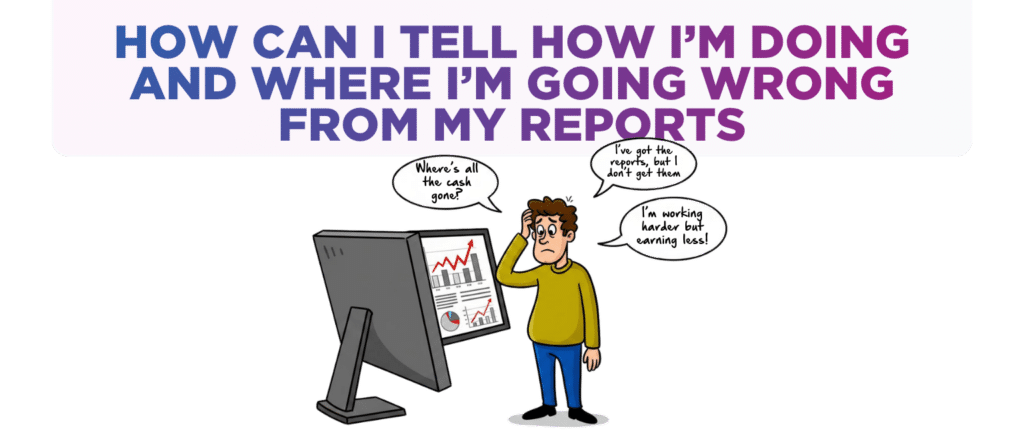
When entrepreneurs don’t understand their numbers, they often find themselves asking the same questions month after month…
"Why is there no cash in the bank when I’m making a profit?"
"Why does it feel like I’m working harder but not earning more?"
"Why is there so little cash - I don't understand where it has all gone?"
Without understanding your reports, problems can remain hidden for months.
- Gross profit margins can slowly reduce.
- Staff costs can creep upwards.
- Customers can take longer to pay.
- Stock can build up unnecessarily.
Before long, cash becomes a real day-to-day issue and stress levels rise.
On the other hand, when you know what to look for, your reports become incredibly useful. They allow you to identify what’s working, fix what’s not, improve profitability and generate more cash.
In reality, you don’t need dozens of complicated reports.
A handful of key reports and ratios can tell you almost everything you need to know.

Strategy 1 Compare Actual Results Against Your Budget
One of the simplest and most effective ways to understand XERO reports and, in turn, your business performance is to review your Profit & Loss report and compare actual results against your budget.
This immediately highlights where the business is performing better than expected and where it is falling behind.
The purpose isn’t to judge the numbers – it’s to understand why the differences exist so that you can make informed decisions going forward.
How to implement it...
Review your Profit & Loss report every month and compare each income and expense category against the budget you originally set.
Pay particular attention to sales, gross profit, wages, overheads and net profit.
Ask questions such as:
- Why are sales ahead or behind target?
- Why are wage costs higher than expected?
- Are material costs increasing faster than sales?
- Is profitability improving or declining?
The answers often reveal ways to improve that would otherwise remain hidden.
For example, if sales are ahead of budget but profits are behind, you may have a pricing issue, rising costs or inefficiencies within the business. If sales are below budget but profit margins are holding up, the issue may be more about lead generation, sales conversion and sales activity than operational performance.
The gap between actual and budget often tells you exactly where your attention should be focused.
I also created a more in-depth video explaining what a Profit & Loss actually is. You can watch it here

Strategy 2 Look For Trends Instead Of Individual Numbers
Many business owners make the mistake of looking at a single month’s results in isolation. The problem is that one month rarely tells the full story or reveals the bigger picture.
Comparing your current Profit & Loss report and Balance Sheet against previous months helps you identify trends. Trends reveal whether things are improving, staying the same or deteriorating long before they become obvious elsewhere.
How to implement it...
Each month, compare your latest Profit & Loss report against the previous six to twelve months.
Look for trends such as:
- Sales increasing or decreasing.
- Gross profit % improving or shrinking.
- Wage costs as a % of revenue rising or falling.
- Overheads gradually increasing.
- Net profit moving in the wrong direction.
Then move to the Balance Sheet and compare key balances month by month.
Focus particularly on:
- Trade Debtors
If trade debtors are increasing significantly, customers may be taking longer to pay. This can create cashflow pressure even when sales are growing.
- Stock & Work in Progress
If stock values continue rising, cash may be tied up in stock and Work in Progress that is not moving quickly enough. Excess stock often becomes invisible until all the cash has gone.
- Trade Creditors
An increase in trade creditors may indicate suppliers are effectively funding your business. While this can help cashflow in the short term, it can also be a sign that the bank balance is under pressure.
The Balance Sheet often explains what the Profit & Loss report cannot.
Many business owners tell me they’re profitable but still have little cash in the bank. I find that usually, the answer is sitting within debtors, stock or creditors.

Strategy 3 Focus On Cash And Key Performance Ratios
Profit is important, but cash keeps businesses alive. A business can be profitable on paper while still experiencing significant financial stress if cash isn’t being managed properly.
Alongside your cashflow report, a small number of key ratios can provide valuable insight into operational performance.
How to implement it...
Start by reviewing your cashflow movements each month.
Ask questions such as:
- Where has cash come from?
- Where has cash gone?
- Is cash being generated from operations?
- Are debtors increasing?
- Is stock consuming cash?
- Are loan repayments affecting available funds?
Then monitor the following key ratios.
- Wages as a Percentage of Sales
This ratio helps you understand whether wages costs are under control.
If wages are often growing faster than sales, profitability will inevitably come under pressure. Monitoring this percentage each month allows you to identify issues before they significantly impact profits.
- Material Purchases as a Percentage of Sales
For product-based and manufacturing businesses, this ratio helps measure purchasing efficiency and gross profit performance.
A rising percentage may indicate supplier price increases, wastage, poor pricing or declining operational efficiency.
- Debtor Days
Debtor days measure how quickly (on average) customers pay you.
If debtor days are increasing, cash is being trapped within unpaid invoices. Improving collections can often generate more cash than winning additional sales.
Alongside debtor days, review your Aged Debtors report every month.
Pay attention to:
- Total value of unpaid invoices.
- Invoices overdue by 30, 60 and 90 days.
- Repeat late-paying customers.
One overdue invoice may not be a problem, but a recurring pattern of overdue invoices almost certainly is
- Stock Days
Stock days measure how long stock sits before being sold, or how long it takes for work in progress to be invoiced.
Increasing stock days can indicate over-ordering, slowing demand or inefficiencies in stock management. Every extra day stock remains on the shelf represents cash that cannot be used elsewhere in the business.
The businesses with the strongest cashflow are usually the ones that monitor these ratios consistently and act quickly when trends start moving in the wrong direction.
Key takeaways
Your financial reports are far more than compliance documents prepared for your accountant. They are decision-making tools that can help you improve profitability, strengthen cashflow and build a more valuable business. To understand your XERO reports is to hold the keys to a profitable business.
The most effective approach is to…
- Compare actual results against budget to identify where performance differs from expectations.
- Review monthly trends rather than focusing on individual periods in isolation.
- Use the “Balance Sheet” to understand what is happening with debtors, creditors and stock.
- Monitor cashflow closely to understand where money is going.
- Track key ratios such as wages as a percentage of sales, material costs, debtor days and stock days.
- Review your “Aged Debtors” report regularly to identify overdue invoices before they become bad debts.
Still wondering how to understand your XERO reports?
If you’re looking at your reports each month and still aren’t completely sure what they’re telling you, you’re not alone.
Many successful business owners have access to all the numbers they need but lack the clarity and insight to turn those numbers into better decisions.
Businesses that understand their numbers tend to make better decisions earlier and avoid costly mistakes.
If you’d like help understanding your reports, identifying opportunities for improved profit and cashflow, and creating a clearer roadmap for growth, get in touch today.
If you’d like a chat to see how we can help drop us an email to [email protected] or call one of the team on 0161 410 0020. You can also click here to contact us.
Disclaimer
You must take professional advice before making any decisions based on the information that you have learnt here. While every effort has been made, to make sure it is accurate it cannot be precisely tailored to your personal circumstances. This article is for general information only and no action should be taken, or refrained from, as a result of this information. Professional advice should be taken based on specific circumstances in each individual case. Whilst we endeavor to ensure that the information contained in the article is correct, no liability will be accepted by Krystal Clear Accounting which is a trading name of Kim Marlor Associates Ltd or damages of any kind arising from the contents of this communication, or for any action, inaction or decision taken as a result of using any such information.