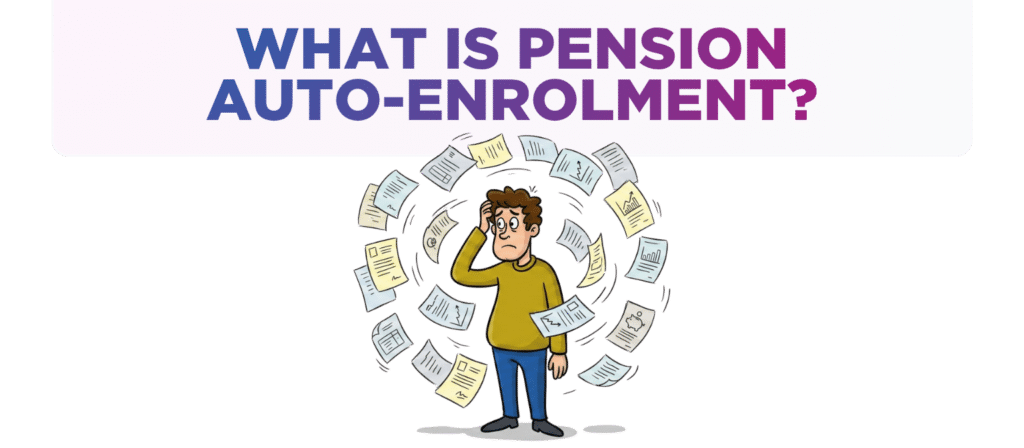
What is pension auto-enrolment and how much will it cost me?
Every employer in the UK must understand how workplace pensions work. If an employer fails to comply then they risk being reported to The Pensions Regulator which could result in significant penalties.
Since 2012, UK employers have been legally required to automatically enrol certain employees into a workplace pension scheme. You don’t get to decide if you want to. It’s a legal must.
This article summarises the most important Auto-Enrolment rules every employer should know – and how much Auto-Enrolment is likely to cost your business.

What are the pension rules everyone should know?
Declaration & Postponement
Every employer who operates a payroll must complete an Auto-Enrolment Declaration within 5 months of their duties start date (usually the date an employer first pays staff through payroll).
An Auto-Enrolment Re-declaration has to be completed & filed with The Pensions Regulator every 3 years.
Employers can also postpone Auto-Enrolment (ie delay) for a new employee for up to 3 months.
Postponing helps employers in two main ways:
1. Saves money – no pension contributions have to be paid for 3 months.
2. Less hassle – if employer has seasonal or temporary staff then they don’t have to
Auto-Enrol them if they end up leaving within 3 months.
Contributions
Every employer must assess the workforce every time the payroll is run to determine the job holder status. Every employee will fall into one of 3 categories – this will be covered in section 2 of this article.
The default is that every employee is Auto-Enrolled (or opted into the pension).
Failure to assess the entire workforce every time the payroll is run potentially means non-compliance as the incorrect pension contributions could be calculated & paid.
Every month the employee & employer pension contributions must be filed with the pension provider & payments made by the 22nd of the following month.

How much are the pension contributions?
Pension Rates
For eligible and non-eligible jobholders, the minimum total contribution is 8% and this is made up as follows:
• Employer pays 3%
• Employee pays 5%
In calculating both the employer and employee pension contributions these % only apply to the employee’s qualifying earnings – that’s anything between £6,240 and £50,270 a year.
That means the employer is NOT required to make pension contributions on the first £6,240 of earnings NOR any salary earned more than £50,270.
Jobholder Status: three different categories
Every employee on the payroll must be assessed by the employer to determine their job holder status. Every employee must fall into one of the following categories…
Eligible Jobholders
An employee is an eligible jobholder if they are aged between 22 and the State Pension age AND they earn over £10,000 a year.
There is no distinction between part-time or full-time employees.
Eligible jobholders must be auto-enrolled into a pension which means the employee and employer must start making pension contributions via the payroll.
Non-eligible Jobholders
An employee is a non-eligible jobholder if they are any of:
- Aged 16-21 & earn over £10,000
- Of state pension age & earn over £10,000
- Or aged between 22 and state pension age
& earn between £6,240 and £10,000
Non-eligible do NOT have to be auto-enrolled BUT if they wish to be auto-enrolled then both the employee and employer must start making pension contributions via the payroll.
Entitled Workers
They earn less than £6,240 a year.
An entitled worker can ask to join a pension scheme. They will make pension contributions via the payroll BUT the employer is not required to make any pension contributions.
Once you become an eligible jobholder you always remain an eligible jobholder. It doesn’t matter if an employee’s pay for a single pay period is unusually high.
Worked Example.
The minimum pension contributions over the course of a year for a 25 year old employee on £30,000 salary would be:-
Employee Pension contributions £ 938 (based on £25,000 – £6,240) * 5%
Employer Pension contributions £ 563 (based on £25,000 – £6,240) * 3%
Opting Out
An employee can choose NOT to be Auto-Enrolled (or opt out) – in which case no employee nor employer pension contributions will be paid.
The employer cannot suggest or pressurize an employee to opt out.
Opting out is not permanent – every 3 years, employers must re-assess all staff. Anyone who previously opted out, if they’re eligible, must be put back or re-enrolled into the pension scheme. Even if an employee says they don’t want to be re-enrolled, the employer still has to do it. The employee can then opt out again, but the process must be followed – it’s the employer’s legal duty.
Where an employee does not need to be Auto-Enrolled into a pension, then best practice is that an employer gets the employee to put this request in writing.
Penalties for Non-Compliance
The Pensions Regulator takes auto-enrolment compliance seriously and could impose severe penalties if an employer is found not to have complied and met their duties.
These include:
Fixed Penalty Notice
£400 fine for failing to comply with a Warning or Compliance Notice.
Daily Penalties
If non-compliance continues, daily fines apply:
- £50 per day for small employers (1 – 4 staff)
- £500 per day for medium employers (5 – 49 staff)
- Up to £10,000 per day for large employers (500+ staff)
Summary
Understanding your Auto-Enrolment responsibilities is vital to avoid penalties and support your team’s financial future.
By staying compliant with pension rules, assessing jobholder status correctly, and making timely contributions, you keep your business on the right side of the law – and your staff feeling valued.
Would you like a quick check-up to ensure you're fully compliant and not risking fines?
If you’d like a chat to see how we can help drop us an email to [email protected] or call one of the team on 0161 410 0020. You can also click here to contact us.
Disclaimer
You must take professional advice before making any decisions based on the information that you have learnt here. While every effort has been made, to make sure it is accurate it cannot be precisely tailored to your personal circumstances. This article is for general information only and no action should be taken, or refrained from, as a result of this information. Professional advice should be taken based on specific circumstances in each individual case. Whilst we endeavor to ensure that the information contained in the article is correct, no liability will be accepted by Krystal Clear Accounting which is a trading name of Kim Marlor Associates Ltd or damages of any kind arising from the contents of this communication, or for any action, inaction or decision taken as a result of using any such information.