Skip to content

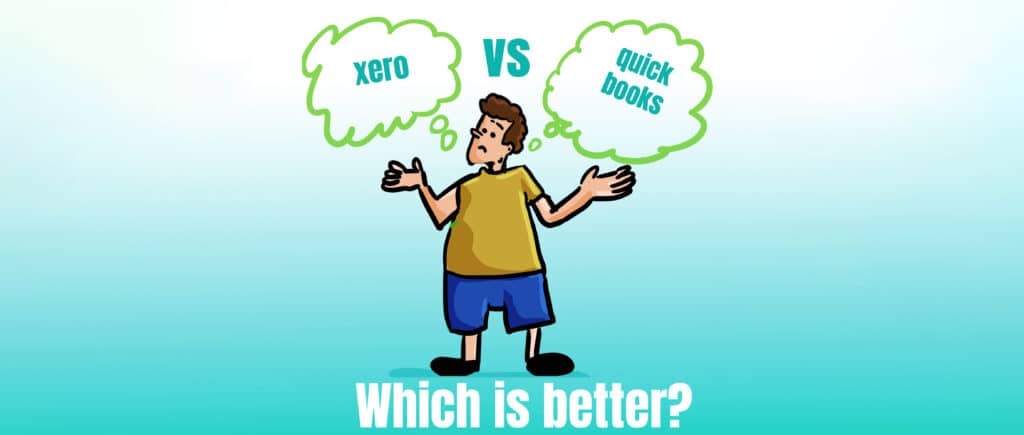
Which is better Xero or Quickbooks

Have you ever thought to yourself... which is better, Quickbooks or Xero?

With Quickbooks and Xero being two of the most popular accounting software options available, we’ve decided to answer that question for you…

In this video David, with the help of our accounting software champion Sami, will give you our comparison on which is better, Xero or Quickbooks? 

They run through the pros and cons of each software to help you decide which would be best for you and your business.

They compare the overall user experience, the integrations, the reporting functionally, pricing and more! 

Here at Krystal Clear Accounting we are here to support. If you’d like some help when it comes to accounting software and choosing the best one for your business then drop us an email at [email protected] or give us a call on 0161 410 0020.

Speak to you soon! 

Remember, Not all accountants are the same! 
It is important that you take professional advice before making any decisions based on the information that you learnt here. While every effort has been made to make sure it is accurate it cannot be precisely tailored to your personal circumstances. This article is for general information only and no action should be taken, or refrained from, as a result of this information.  Professional advice should be taken based on specific circumstances in each individual case.  Whilst we endeavour to ensure that the information contained in the article is correct, no liability will be accepted by Krystal Clear Accounting which is a trading name of Kim Marlor Associates Ltd or damages of any kind arising from the contents of this communication, or for any action, inaction or decision taken as a result of using any such information.

What are Bank Feeds and how do they work?

Related Articles

[related_posts_grid]

In short, bank feeds create a digital link between your business bank account and your accounting software, such as Xero or QuickBooks.  

This means bank transactions are automatically downloaded into the accounting software. This simple piece of automation, completely removes the need to manually input every bank receipt and payment into the accounting software. 

Having bank feeds in place, saves a HUGE amount of time bookkeeping. That’s because it completely removes the need to manually input bank transactions into the accounting software. 

Saving time bookkeeping isn’t the only benefit for the business…. 


Which is better Xero or QuickBooks?

What are the main benefits to a business using bank feeds?

Bank feeds automate, what was previously, a time-consuming task of entering all the bank transactions into the accounting software. 

 This saves the business a HUGE amount of time (& money) spent on bookkeeping.  

With bank transactions being downloaded from the bank every day, it means it’s quicker and easier to keep the bank balance in the accounting software up-to date. 

With the accounting software up-to date, the bank is updated daily which gives you a clearer, real-time view of your business’s cash flow.  

This makes it easier for you to plan your cashflow, and take action to improve it. 

There is always the risk of errors being made when data is being manually inputted into the accounting system. It is often time-consuming to find and correct any errors. Also, if an error is large then the Profit & loss and Balance Sheet reports will be inaccurate and potentially misleading. 

 Automating the bank transaction entry previously manual process, reduces the risk of errors being made and ensures that the bookkeeping records and reports are accurate. 

How to Link Your Bank to Xero

Ensure that your bank account is set up for online banking. This feature is typically available from all major banks. 

Log into your Xero account and navigate to the banking section. Select ‘Add Bank Account’ and follow the prompts to search for your bank. 

After adding your bank account details, you’ll see an option to set up bank feeds. Click ‘Agree’ to the terms, then securely log into your online banking portal through Xero to authorize the connection. 


Are Bank Feeds Safe & Secure?

Yes. 

Firstly, having bank feeds in place ONLY means bank transactions are downloaded into the accounting system. They do NOT give anyone else access to the business bank account. 

 Secondly, XERO has various security measures in place to give you a piece of mind that your financial data is safe and secure: 


  • Encrypted Connections: Xero uses advanced encryption technology to secure the data transmission from your bank to Xero. This means your sensitive information is encrypted during transit and cannot be intercepted or read by unauthorized parties. 


  • Compliance and Standards: Xero adheres to high standards of data security compliance, thus ensuring that its practices meet or exceed industry security standards and regulations. 


  • Regular Renewals: To maintain a high level of security, XERO requires that the bank feed connection is renewed every 90 days. This process is straightforward and helps ensure that the integrity of your financial data is always protected. 


people are connected
KIm Marlor the MD of Krystal Clear Accounting
krystal clear accounting

In Summary

In short, having bank feeds really saves businesses time and money on their bookkeeping.  

 They automate and eliminate what is otherwise a time consuming and error prone manual process.  

 Bank feeds is just one of the ways technology can be used to help business owners improve the financial side of their business.

Request a Call Back: