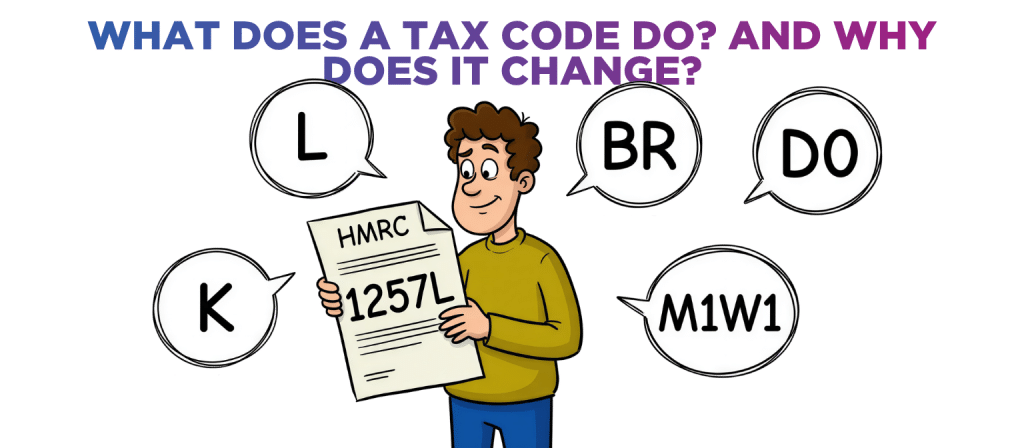
What does a tax code do? And why does it change?
A tax code is issued by HMRC to any person who receives either employment or pension income.
The idea behind the tax code is that the recipient will pay the right amount of income tax throughout the year so that by the end of the year they have paid the correct amount of tax for the income they earned. The result being that there is no tax left to pay.
A copy of the tax code is also sent by HMRC to every employer. They are required to use that tax code every time they run the payroll to calculate an employee’s income tax and net pay. The same applies to pension companies too. This is the case even if an error has been made in working out the tax code.
Tax codes can be confusing, this article explains the main types of tax codes and why they may change.
What are the common types of UK tax code?
Tax codes always appear as a combination of numbers and letters…

The numbers
Confirms the amount of income tax-free allowance that is being allocated to a particular employment or pension.
The annual income tax-free allowance is £12,570 (for 2026/27).
This means that for anyone with a total income of less than that there is no income tax to pay on their income.
The most common number for someone to have is therefore 1257 (which is 12,570 with the final digit removed).
In some cases, the number might not be 1257.
For instance, if a person has two jobs, HMRC is likely to ‘split’ the tax code so that part of the income tax-free allowance is allocated to both jobs.

The letters
L code
This is the most common letter and means there are no special circumstances.
Since most people have just one job then this means that the most common tax code is 1257L.
K code
It means the number in the tax code is negative, resulting in the person paying more income tax.
A K code usually means the person has either other income (e.g. dividends) on which income tax has not yet been paid or tax arrears which will be collected each month via the tax code.
M1W1 code
This is also called Emergency Tax Code.
M1 stands for “Month 1” and W1 stands for “Week 1” tax. Tax is calculated as if it’s the first week of the first month of the year.
This code is commonly issued when HMRC lacks full information about the income or tax situation. It is often issued when starting a new job, switching jobs, or if a P45 isn’t provided promptly.
BR code
Stands for “Basic Rate” – meaning all income from that employment is taxed at basic rate income tax (20%).
This code tends to be applied to a second job or pension.
D0 code
Means all income from that employment is taxed at higher rate income tax (40%).
As with BR this is typically assigned to second jobs or pensions – the difference is that it is assumed that these earnings fall into the higher tax bracket.
Why does the tax code change?
Tax codes might change throughout the year for various reasons.
Here are some of the common scenarios:
Change to the Income Tax-Free Personal Allowance
If the government increases the personal allowance (currently £12,570) then the number in the tax code will increase to.
Changes in employment (or pension)
If someone starts a second job (or starts to receive a pension) then HMRC is likely to re-allocate the income tax-free personal allowance. When this happens HMRC will issue new tax code to ensure correct tax is taken, avoiding under or overpayments.
Adjustments for taxable benefits
If the employer offers benefits like company car, medical insurance etc, these are considered taxable benefits, and HMRC may adjust the tax code so that the income tax payable on these is collected during the year.
Income changes
If an employee has other income (e.g. rental income or dividends) HMRC is likely to update the tax code so that the income tax payable on this income is collected during the year.
State pension
The income tax-free personal allowance is automatically allocated to state pension. This means an employee who starts to receive state pension will see their tax code changed.
Tax code errors or adjustments
Occasionally, HMRC might make a correction or adjust a tax code if they detect any errors (e.g. tax circumstances change or there were over or underpayments in a previous tax year).
Summary
You should always review your tax code if a new one is issued to you just to make sure it is correct and reflects your income and circumstances.
If either your circumstances change (for example, you start to receive income from an additional source) or your income changes (or your dividend income falls) then you should review your current tax code. It might be that you need to tell HMRC to update it so that you continue to pay the right amount of income tax each month.
If you’re unsure about your tax code, you should ask your accountant to double-check it!
If you’d like a chat to see how we can help drop us an email to [email protected] or call one of the team on 0161 410 0020. You can also click here to contact us.
Disclaimer
You must take professional advice before making any decisions based on the information that you have learnt here. While every effort has been made, to make sure it is accurate it cannot be precisely tailored to your personal circumstances. This article is for general information only and no action should be taken, or refrained from, as a result of this information. Professional advice should be taken based on specific circumstances in each individual case. Whilst we endeavor to ensure that the information contained in the article is correct, no liability will be accepted by Krystal Clear Accounting which is a trading name of Kim Marlor Associates Ltd or damages of any kind arising from the contents of this communication, or for any action, inaction or decision taken as a result of using any such information.